AI fashion models for your clothing photos
No model bookings, no studio, no photographer. Turn a flat or hanger photo of your garment into on-model images with an AI fashion model.
Try it free, no signup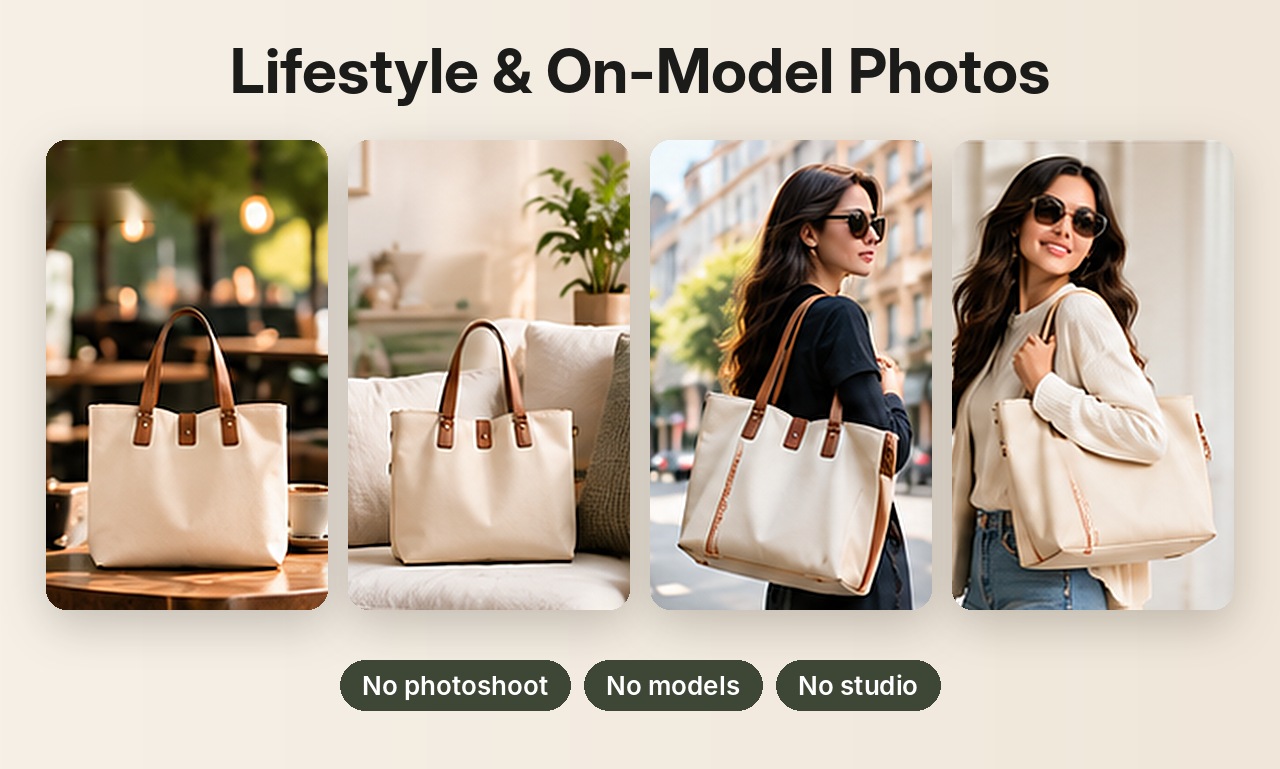
Why use an AI model
Real model shoots mean booking fees, studio time, usage rights and days of waiting, for every new product. An AI fashion model gives small clothing brands and resellers on-model photos for each item in minutes, so buyers can see how a garment fits and looks when worn.
What you can create
- Female or male models for each garment.
- Studio shots: front, side angle, back view and full length.
- Lifestyle shots: city street, café, park, urban wall, rooftop at sunset.
- Category-specific shots: waist-to-feet views for jeans, hood up for jackets, close-up fit for t-shirts.
- Jewelry and accessories worn on the neck, ear, wrist and hand.
Best results
- Lay the garment flat or hang it, with the whole item visible.
- Describe it with visible details, for example "olive green cotton crew neck t-shirt".
- Plain garments come out closest to the original. Check detailed prints and logos carefully.
The models are generated by AI, not real people, so there are no model fees or image rights to arrange. On-model shots are the hardest for AI to keep perfectly accurate, so review each image before listing.
Selling jewelry? See AI jewelry product photos for on-model and white background shots of rings, earrings and necklaces. Related guides: on-model clothing photos and Etsy product photos.
Try it on your own product
Upload one phone photo and get HD product photos in seconds. Try it without an account, then sign up free for 3 HD photos every day.
Try it freeQuestions
Are the AI models real people?
No. They're generated by AI, so you don't need model releases or usage rights.
Can I choose the model's gender?
Yes. Photo Pack lets you choose a female or male model for on-model shots.
Does it work for jewelry?
Yes. The Jewelry category includes shots on the neck, ear, wrist and hand.