Amazon product photos from your phone
Get a clean white-background main image plus lifestyle and detail shots for the rest of your Amazon listing, all from one phone photo.
Try it free, no signup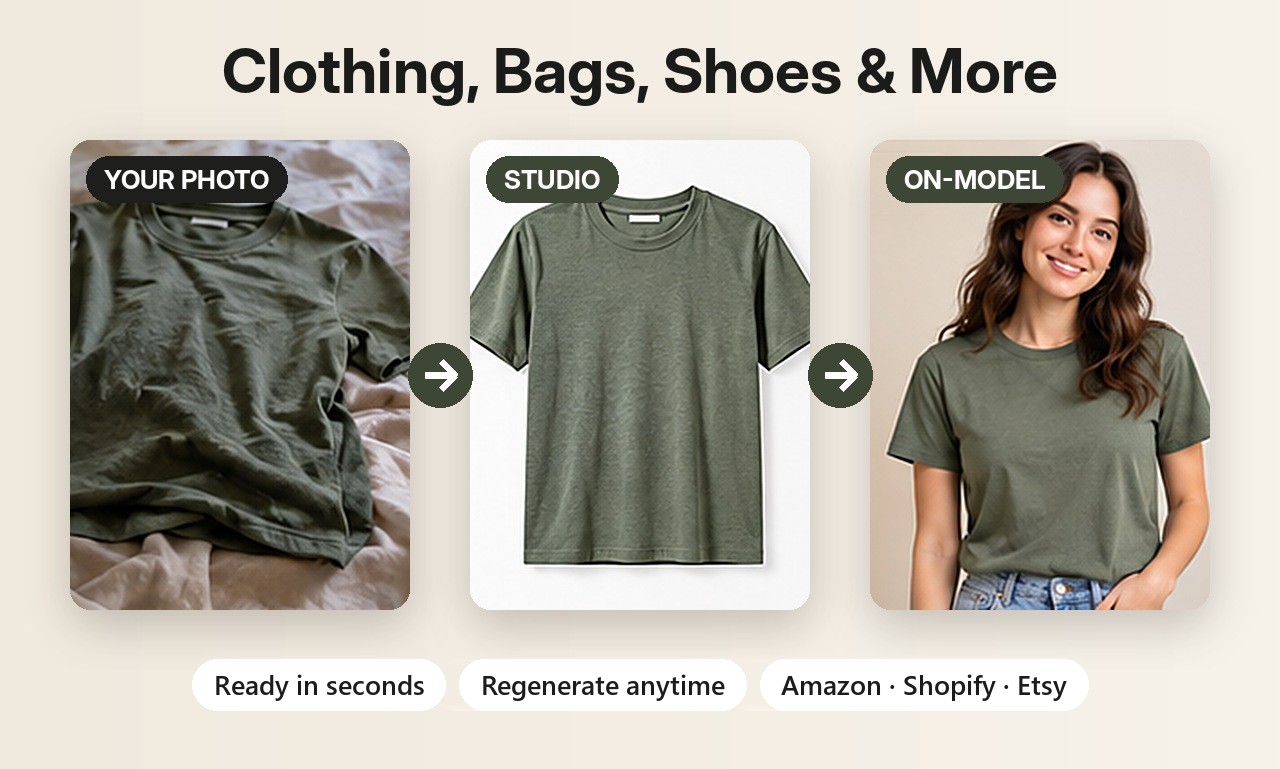
Amazon's main image rules, in short
Amazon is strict about the main (first) image of a listing. Its guidelines ask for a pure white background, the product filling most of the frame, and no extra text, logos or props. Larger images also let shoppers zoom, which Amazon recommends. Always check Amazon's current image requirements for your category, since they can change.
Two ways to make the main image
- Background Swap cuts your product out and places it on pure white without redrawing it, so the product stays exactly as photographed. Best for the main image.
- Clean white studio scene generates a polished studio shot with soft shadows. Check the result carefully, since AI redraws the scene.
Fill the rest of your gallery
Amazon lets you add several more images after the main one, and they don't need a white background. Use them to sell:
- Lifestyle images showing the product in use or in a real setting.
- Close-ups of materials, stitching, zips or labels.
- On-model shots for clothing, shoes and jewelry.
- Colour variants for listings with several colours.
Image size
ShotKart creates HD images (1024 pixels and up on the long side), suitable for most marketplace listings. Square 1:1 and portrait 4:5 formats are available.
Selling jewelry? See AI jewelry product photos for on-model and white background shots of rings, earrings and necklaces. Related guides: white background product photos and Shopify product photos.
Try it on your own product
Upload one phone photo and get HD product photos in seconds. Try it without an account, then sign up free for 3 HD photos every day.
Try it freeQuestions
Is a white background required on Amazon?
For the main image, Amazon's guidelines require a pure white background. Additional images can use lifestyle scenes.
Will Background Swap change my product?
No. It cuts the product out and pastes it back unchanged onto the new background, adding only a soft shadow.
Can I make several angles from one photo?
ShotKart generates different scenes and styles from one photo. For truly different physical angles, upload a photo from each angle.