Necklace on a model, made from your phone photo
Show how your necklace sits on the collarbone and where the pendant falls, from a single photo.
Try it free, no signup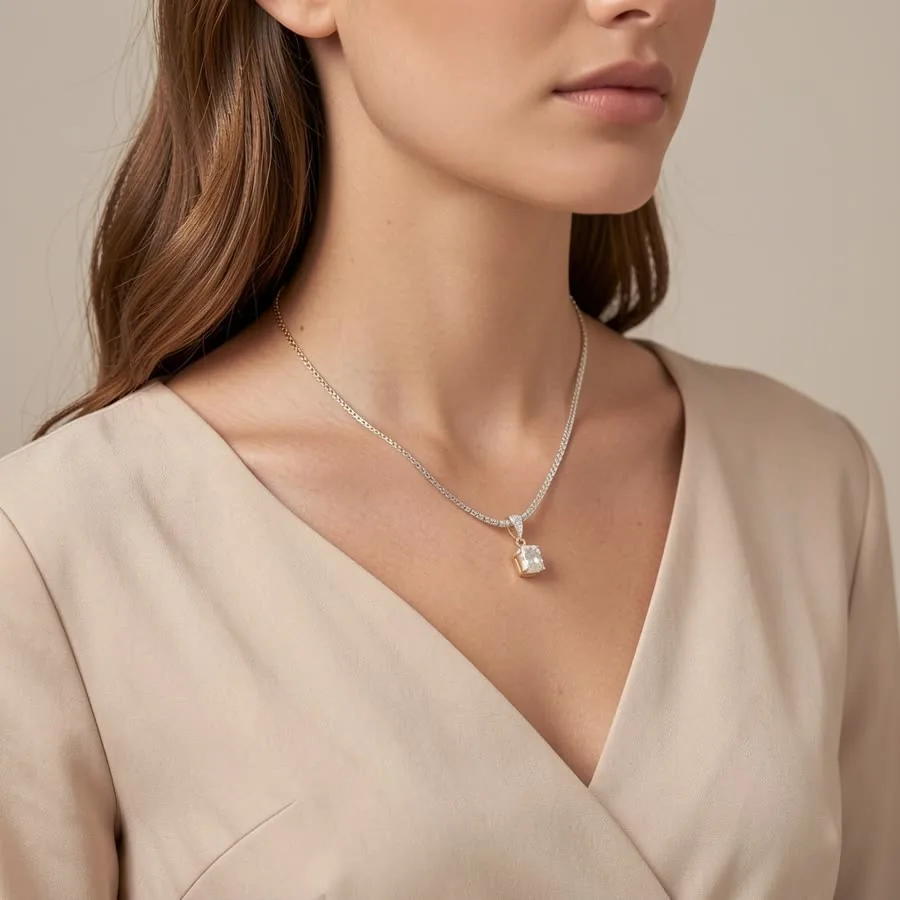
Show length, drape and scale
A necklace photographed flat gives no sense of length. Buyers can't tell whether a pendant sits at the base of the throat or halfway down the chest, or how a chain drapes. An on-model photo shows exactly that, and it's often what convinces someone to order.
How it works
- Lay the necklace out in a gentle curve or V shape on a plain surface and take a clear photo in daylight.
- Pick the Jewelry category and select "On the neck". Add "Lifestyle close-up" for a warm, natural-light version.
- Create and download. Get square or portrait images, and regenerate any shot you'd like to change.
Pendants, chains and layered pieces
The on-neck shot is a close crop of the neck and collarbone on a soft, plain background, so the necklace stays the focus. It suits pendants, chokers and fine chains. For layered looks, describe the layers in your product name so the result matches. Very long chains and very thin chains are the hardest to reproduce exactly, so compare the result with the real piece.
Studio shots to go with it
Pair the on-model image with product-only shots from the same upload: Macro on black velvet for gold and gemstones, Marble & gold for a luxury flat lay, a Floating product shot on pure white for marketplace main images, or the Ring box style for a necklace resting in an open jewelry box.
Write a useful product description
A short description helps the AI keep your design: the metal, the chain style, the pendant shape and any stones. For example, "14k gold filled paperclip chain with a small round mother-of-pearl pendant". Stick to what's visible in the photo.
Selling jewelry? See AI jewelry product photos for on-model and white background shots of rings, earrings and necklaces. Related guides: earrings on a model and Shopify product photos.
Try it on your own product
Upload one phone photo and get HD product photos in seconds. Try it without an account, then sign up free for 3 HD photos every day.
Try it freeQuestions
Can I show my necklace on a model without a photoshoot?
Yes. Upload one photo, choose the Jewelry category and the On the neck shot, and ShotKart generates a model wearing your necklace.
Will the pendant and chain look like mine?
The shape, colour and metal finish are kept, and simple designs come out very close. Fine chains, small stones and engravings can shift slightly, so review each photo before listing.
Can I use these photos on Etsy and Shopify?
Yes. You can use the photos you make in your listings and store. Make sure each image accurately shows the real piece.